
• Wichtig für neu Mitglieder

    Aktuell haben wir das Problem dass Mail an GoogleMail nicht ankommen. Wenn du dich registrien möchtest gib bitte keine GoogleMail an.

    Euer Forenteam

  • Herzlich Willkommen bei den Konsolen-Senioren!

    Wir sind eine deutschsprachige Community, die Spielern über 30 Jahren seit 2007 ein Zuhause im Internet bietet, in dem sie sich mit gleichgesinnten und erwachsenen Spielern über ihr Hobby austauschen und zu gemeinsamen Aktivitäten verabreden können.

    Entstanden aus den Xbox-Senioren (früher: XBL-Senioren) und den PSN-Senioren bieten wir mittlerweile eine konsolenübergreifende Diskussions- und Verabredungsplattform, bei der das respektvolle Miteinander und der Spaß am Hobby im Vordergrund stehen.

    Neben konsolenspezifischen Unterforen und Multiplattform-Spielethreads bieten wir auch eine Retro-Ecke und einen Bereich, in dem sich für die immer größer werdende Anzahl Spielen, die Cross-Plattform-Play unterstützen, verabredet werden kann.

    Egal, ob Du einfach nur über Spiele diskutieren möchtest, Dich mit anderen Spielern verabredet willst oder einfach nur Deine Spielerfahrungen mit anderen teilen möchtest, bist Du bei uns herzlich willkommen.

    Natürlich kannst Du auch einfach weiter passiv bei uns mitlesen, aber warum schnappst Du Dir nicht einfach Deine Tastatur, registrierst Dich bei uns und gestaltest die Community durch Deine Teilnahme aktiv mit?

    Wir freuen uns auf Dich!

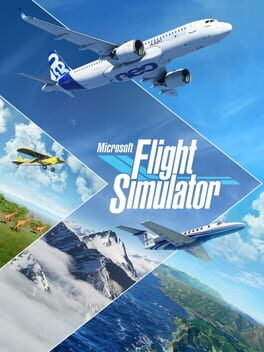
Microsoft Flight Simulator

Microsoft Flight Simulator
Firmen
Asobo Studio, Xbox Game Studios

Enno43

Jungspund
Genau aus diesem Grund werde ich jetzt beim FS2020 einsteigen, mich faszinieren Helicopter seit meiner Kindheit. Ich habe mir den Velocity Flightstick vorbestellt und hoffe das man damit die Helicopter gut fliegen kann, was ich nicht weiß ist ob man die Ruder von Turtle Beach an den Stick auch anschließen kann, zur Zeit müssen diese ja noch bei der Box über das Flightpanel von Turtle Beach angeschlossen werden. Deswegen habe ich diese noch nicht mit bestellt.

Allein wie die die Physik mit dem Downwash der Rotorblätter umgesetzt haben, Wahnsinn ich freue mich jetzt schon in niedriger Höhe über die Flugplatz zu hovern. Die Einstiegsdisziplin damals beim RC-Flug als es noch noch nicht komplett alles über Gyros gesteuert wurde. Bin gespannt wie die Steuerung umgesetzt wurde, da der Controller ja einer Fernsteuerung ähnelt, sollte Mode 2 Helicopter gut passen. Rechter Stick Taumelscheibe und Linker Stick Pitch und Heckrotor.

Hatte mir zum Release die Premium Edition geholt aber aus Zeitgründen nur ein paar Stunden reingeschaut. Aber jetzt sieht die Sache anderes aufs und ich werde hier durchstarten. Helikopter und Propeller in Form von Warbirds stehen dann auf dem Programm. Ein Dank geht raus an @Linsenheld für den Beitrag zu den Warbirds von Flyingiron. Ich will hoffen das die Bell UH-1 auch noch kommt :love:
Nee, nee, Hubschrauber können gar nicht fliegen, die sind so hässlich, das sie vom Boden abgestoßen werden...🤣😂
Spass bei Seite, jeder das was er mag, das ist ja das tolle am Flusi. Freue mich auch sehr auf das Update, speziell auf den A310. Als Xbox Nutzer ist man im Angebot an Dickblech Fliegern ja noch sehr eingeschränkt. Bin gespannt, wie tief er simuliert ist. Klar, eine PMDG wird es nicht...
Viele Grüße
Daniel
P.S. Danke an Andreas (Darshonaut) für das Einstellen der Dokumente zum A310!
 

ds238

Aushilfe der Essenausgabe
Fliegt zufällig jemand die Cessna 414 auf der Xbox...? Vielleicht kann mir dabei jemand helfen:
- Laut Tablet im Cockpit gibt es eine interaktive Checkliste die in Zusammenarbeit mit dem Copiloten abgearbeitet wird, leider funktioniert das bei mir irgendwie nicht. Geht das vielleicht nur auf dem PC?
- In der Außenansicht werden ja diverse Flugparameter angezeigt, oben links in der Ecke auch der Kompass mit Kursanzeige inkl. VOR (grün) und GPS (lila). Wenn ich im Cockpit einstelle einem GPS-Kurs zu folgen, bleibt in der Außenansicht die Anzeige trotzdem auf VOR. Funktioniert aber trotzdem. Ist das ein Bedienungsfehler von mir oder liegt es an einem Fehler im Flugzeug?
 

Enno43

Jungspund
Ich bin wirklich auf den A310 gespannt. Ausserdem hoffe ich, dass die Stabilität auf der Xbox nun so bleibt wie sie seit SU10 ist.

Übrigens bin ich eben bei den Turtle Beach Pedalen schwach geworden und konnte sie mit dem Rabattcode, den ich vor einem Jahr beim registrieren des Flight1bekommen habe für 270 Euro bestellen. Wenn das alles so klappt, habe ich für X-Box Verhältnisse ein tolles Flight System...😀😀😀🤗😀😀
 

darshonaut

Rentenbezieher
Du hast keine Berechtigung um diesen Link zu sehen. Logge dich ein oder registriere dich jetzt.

RELEASE NOTES 1.29.28.0


40th Anniversary Edition Content

November 2022 marks the 40th Anniversary of the Microsoft Flight Simulator franchise. To celebrate, this version includes:

  • 7 classic aircraft:
    • 1903 Wright Flyer
    • 1915 Curtiss JN-4 Jenny
    • 1927 Ryan NYP Spirit of St. Louis
    • 1935 Douglas DC-3
    • 1937 Grumman G-21 Goose
    • 1947 Havilland DHC-2 Beaver
    • 1947 Hughes H-4 Hercules
  • 2 helicopters:
    • Guimbal Cabri G2
    • Bell 407
  • 2 sailplanes/gliders:
    • DG Aviation LS8-18
    • DG-1001E neo
  • 1 true-to-life airliner:
    • Airbus A310-300
  • 4 iconic airports:
    • Hong Kong Kai Tak
    • Meigs Field in Chicago
    • Princess Juliana International in Sint Maarten
    • First Flight Airport, Kitty Hawk
  • 24 classic activities from previous Flight Simulator titles:
    1. First Flight at Kitty Hawk
    2. San Juan Island Run
    3. 1st US Airmail Route, 1918
    4. Aleutian Cargo Run
    5. Grand Canyon Scenic Tour
    6. Transcontinental Speed Record
    7. The Hell Stretch, 1918
    8. Charles Lindbergh, New York to Paris
    9. Hawai’ian Vacation
    10. Flying blind across the channel
    11. Meigs Field
    12. Spruce Goose
    13. Rome-Naples Airline Run
    14. Sitka Approach
    15. Monsoon
    16. Caribbean Landing
    17. Hong Kong at Dusk
    18. Waimea Canyon
    19. Mount Rushmore
    20. Miami by Moonlight
    21. San Francisco Sunset
    22. Mendenhall Glacier Tour
    23. 1950: Frontier Airlines
    24. Alaskan Floatplane Pilot
  • 7 new tutorial missions for Gliders:
    • Aerotow
    • Winch Launch Training
    • Winch Launch Training, Advanced
    • Basic Handling
    • Slipping Approach and Landing
    • Thermal Identification
    • Ridge Soaring
New features
  • Live traffic has been updated with various quality of life fixes (details below)
  • New memory defragmentation system has been implemented for DX12 to limit maxed out VRAM
  • New Dpad / keyboard arrows navigation accessibility feature is enabled by default in the menus (alternative to the cursor)
  • AMD FSR2 graphic option is now available for PC
  • Title now supports new NVIDIA technologies such as DLSS3 (including Frame Generator) and Reflex on supported NVIDIA graphics cards on PC. We also added support for 2 DLSS modes Super Resolution: Auto and DLAA
  • Improved atmospheric simulation with a big focus on Thermals and general tweaks for the CFD
  • We added a new CFD airflow display visualization in game for aircraft that are CFD-enabled (accessible under assistances and can be mapped to a button/key)
  • 3D thermals visualization can be toggled via the weather panel
  • New mapping for the Back to fly feature, including height gain depending on the plane situation and current altitude (below 1000ft, 5000ft and 10 000ft), allowing to quickly adjust your flight in a variety of contexts. Very useful during glider runs if you do not wish to restart the flight after having landed
General Bug Fixes
  • Several crashes have been fixed across the title
  • Ongoing performance optimization work including cursor improvements in the world map
  • Fixed graphical artefacts on cockpit screens when using DX12
  • Fixed broken rendering of rainbows
  • Center of Gravity (CG) is no longer shown outside of limits when there is a lateral imbalance
  • Fixed Toggling Landing / VFR / Copilot View commands that were not functional
  • Fixed aircraft flying erratically into the air when there are no wheels defined at all in the flight_model.cfg file
  • Fixed an off-by-one error on fuel junction settings when loading FLT files of SimObjects
  • Display state of combustion in engine added in debug window
  • HDR10 is now properly applied when launching the title in fullscreen mode on PC
  • Improved transparent UI readability on HDR screens
  • Fixed a scenario when road traffic disappeared when multi-monitor is active
  • Various fixes and improvements for the screen reader accessibility feature
Navigation/Traffic
  • Copilot will no longer request push back service when it is only managing ATC communications
  • Fixed a scenario when some ILS were misaligned ; some missing procedures are now in the sim
  • Fixed an issue with ATC being on the wrong airport when having a VFR flight plan and landing at another airport
  • ATC UI is now enabled with COM Radio for planes lacking Nav radios
  • Live traffic planes no longer turn and fly over the airport at low altitude before the initial climb
  • Added Departure procedures to Air traffic
  • Fixed live traffic planes always using the same runway in worldmap
  • We are now using the flightplan to interpolate position of live traffic planes
  • Fixed live traffic cruise altitude
  • Wind direction information is applied before selecting the runway for live traffic
  • Fixed an issue where loading navdata packages with BGL navdata deletion flags could cause ident search and other navdata lookup failures
  • Fixed an issue where an overriding package containing navdata loading the same facility ICAO as an earlier loaded package would be unable to change the QMID of the facility and would receive “facility in a different QMID than the ICAO index list thinks” error
  • Fixed wrong callsign used by ATC for live traffic planes
  • Fixed live traffic planes cruising at extreme altitude in game
  • Fixed live traffic planes getting stuck at the center of the airports
Weather
  • Added Metar interpolation every 10 minutes to avoid haze apparitions being too abrupt
  • Better handling of Metars in areas where there is a lot of available Metars
  • Proper temporal fading over 1 min when new data arrives
  • The clear sky preset is now cleared of all clouds
  • The sun disc is no longer visible through thick clouds (does not affect overall lighting conditions)
Activity
  • Auto refuel at the end of the leg is no longer activated by default across all existing bush trips (can be set via RefuelOnLegStart)
  • “Wing Commander” achievement can now be unlocked passing 1000 flight hours
Planes
GENERAL
  • Fixed an issue that would cause Morse sound not to work properly on some planes
  • Fixed an issue on the VNAV button that caused it to not properly sync when present on 2 glasscockpits on the same plane
  • Fixed some scenarios where we could have camera glitch when flying under bridges
  • Fixed a scenario where clicking and manually dragging the zoom slider does not change the zoom level in all Camera options (Cockpit, External, and Showcase)
  • Added RotorIndex & default RTPC for Rotor sounds
  • Unable to set NAVX_SOUND for NAV3 & NAV4
  • Added a parameter to prevent the template ASOBO_HANDLING_RudderTrim_Template from being disabled when AP is enabled
  • Added the PctPressurePerPump parameter to the Modular Fuelsystem’s manual pump to allow it to only provide part of the maximum amount of pressure
  • Added Electric Engines
  • Fixed reverse PITCH_INCREMENT on VS knob on some aircraft
  • Added the KEY_SPOILERS_INC/KEY_SPOILERS_DEC keys that give incremental control of the spoiler lever
  • Added KEY_PROP_LOCK_SET/TOGGLE/ON/OFF which can be called to lock the propeller in position while it is at low speed. Matches with the simvar SIMVAR_PROP_LOCK
  • Added keys that were present in ADF1 to ADF2
  • Added an option to the modular FuelSystem that allows fueltank to generate their own pressure
  • Fixed an issue that would cause the ASOBO_HANDLING_Spoilers_Template template to incorrectly interpret a value in percent as if it was in degrees
  • Fixed a scenario where setting an aircraft’s wheel to have 0 compression or radius may cause a crash
  • Fixed the SIMVAR_PLANE_TOUCHDOWN simvars to ensure they work for water landings
  • Fixed the behavior of KEY_MIXTURE_SET_BEST to ensure it more accurately sets the best mixture
  • Fuel no longer resets to 0 unless set with slider in weight & Balance
  • Cruise Altitude can now be edited if SimConnect calls flightSave
  • Added the keys that were present only for Nav1/2 to Nav3/4
  • Corrected the template ASOBO_INSTRUMENT_Needle_Altimeter_SubTemplate to allow for the unit used to be overriden
  • Added the INTERCEPT_INTERACTIONS param to the ASOBO_GT_Material_Emissive_Code template to ensure any screen can easily intercept clicks to prevent them from interacting with elements beind the screen
  • Icing slider no longer affects aircraft body and windows when icing is deactivated from the assistance menu
  • Filled up debug variables for cylinder friction and torque for piston engine
  • Smoothed ground normal and ground position in CFD simulation to make ground effect smoother
  • Thermals simulation now simulates ground slope orientation. Sun exposed slopes receive more heat
  • Ground effect in CFD simulation now accounts for objects, helipads, rooftops…
  • CFD simulation now support sloped ground surfaces adjusting ground effect automatically to the sloped surface
  • New system to choose the reset mode for PIDs. Applied to pitch & roll on the Cessna 172
  • Improved ground heat based thermals for a better balance of up and downdrafts
  • Fixed an issue where having multiple active Bing Map graphics could cause a CTD while getting elevation data under high load
G1000 NXi
  • Fixes GPS SimVar ‘GPS WP DISTANCE’ showing 0 when in a random Direct To
  • Corrected label on the Departure page that said “Arrival”
  • Fixed issue with VNAV PATH arming while ALT CAP autopilot mode is active
  • Fixed incorrectly highlighted areas during Checklist evaluation
Cessna 172 Skyhawk G1000
  • Added new system to choose the reset mode for PIDs. Applied to pitch & roll
  • The stall speed was 10 kts slower than what it should have been
Darkstar
  • Improved cockpit lighting and wear and tear
Beechcraft King Air 350i
  • Fixed a visual issue with the behavior of the AP/Disc bar
Flight design CTLS
  • Fixed the negative flaps settings
World
  • Fixed an elevation hole in Spain between LEAD and LEMB
  • Fixed car size and changed car density for low settings on parkings
Airport
  • Fixed trees in path to Runway 10 at TFFJ
  • AFB has old name and is now KCOF Patrick SFB
  • Fixed terrain spikes between N47 and O03
  • Fixed a scenario where cars go across taxiways at KMCO
  • Fixed elevation issues on terrain around CAJ3 airport
  • Changed ICAO for Caselnuovo Don Bosco airport to LILF
  • Fixed terrain issues in north-west of General Santos
  • Fixed missed buildings at MMMX
  • Fixed beacon on runway 9TE6
  • Fixed beacon on runway at 57D
  • Fixed scenarios where jetway update were too slow
  • Fixed Lod issue at KDEN
  • Fixed building issue at LEMD
  • Fixed terminals 2 and 5 at EGLL
  • Removed building on taxiway at EHAM
  • Fixed YCOP name and location
  • Fixed some wrong airport codes in Papua New Guinea
  • Fixed road vehicles appearing on KLAX runways
Peripherals
New supported devices:

  • Added Turtlebeach VelocityOne Flightstick support (PC & Xbox)
  • Added Honeycomb Alpha Flight Controls XPC support on PC & Xbox
  • Added Honeycomb Charlie pedals support on PC
  • Added Pro Flight Trainer Puma X support
  • Added Thrustmaster TCA Sidestick X support (PC & Xbox)
  • Added Thrustmaster MFD Cougar support
New presets
  • Added dedicated Helicopter gamepad preset
  • Added dedicated Glider gamepad preset
  • Added a dedicated Thrustmaster T16000M helicopter preset
  • Added a dedicated Thrustmaster TCA Flightstick X helicopter preset
  • Added a dedicated Thrustmaster T.A320 helicopter preset
  • Added a dedicated Thrustmaster HOTAS One helicopter preset (Xbox)
  • Added a dedicated Turtlebeach VelocityOne Flightsitck helicopter preset (Xbox)
  • Added a dedicated Logitech Extreme 3D Pro helicopter preset
New controls
  • Added dedicated Helicopter inputs
  • Added an input to trigger the Back to Fly feature
  • Added digital inputs to increase & decrease the spoiler
  • Added an input to toggle the water ballast
  • Added an input to release the tow plane while in a glider
  • Added plasma control inputs
  • Added mac ready setting inputs
  • Added an input to toggle the CFD
  • Added an input to toggle the Thermals display
  • Added an input to toggle on or off the variometer sound
  • Added some missing ADF2 inputs
Various peripheral fixes
  • Devmode inputs are now remappable and localized
  • Fixed a bug where it was impossible to zoom the VFR map while using the the drone camera
  • Fixed a bug that was toggling the landing gear while browsing fixed cameras
 
Oben